Dedicated backup user
It is best practice to create a dedicated backup user account in your cloud
project that is only given rights to access object storage. The reason for
this is that in order to have scripts run commands unattended
it is necessary to embed plaintext password information in the scripts, or
where they can be accessed.
To create a new user account, go to Management -> Project Users in the left
hand menu of the dashboard, then click on the +Invite User button.
Fill in the Invite User form as shown, making sure the only Role selected is
Object Storage.
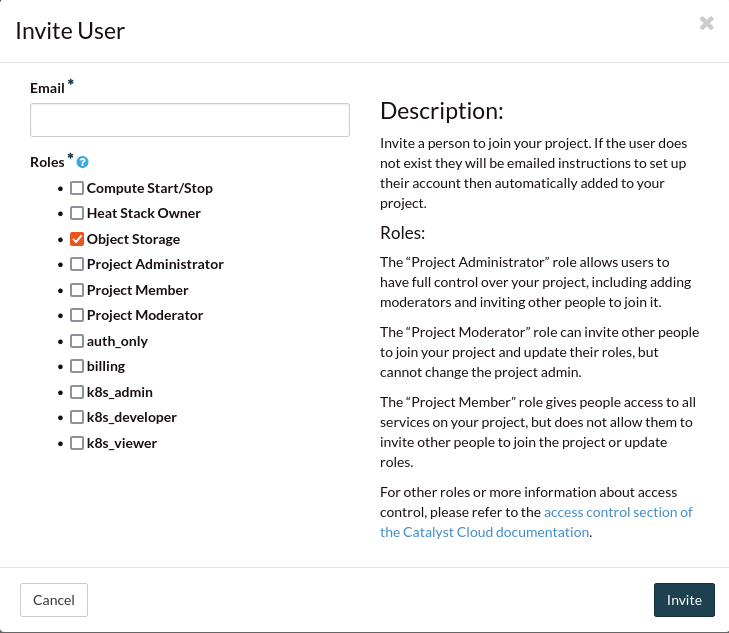
Once you receive the invite, complete the sign-in process as
the new user. There should now be a new user with Object Storage as their only
available role.
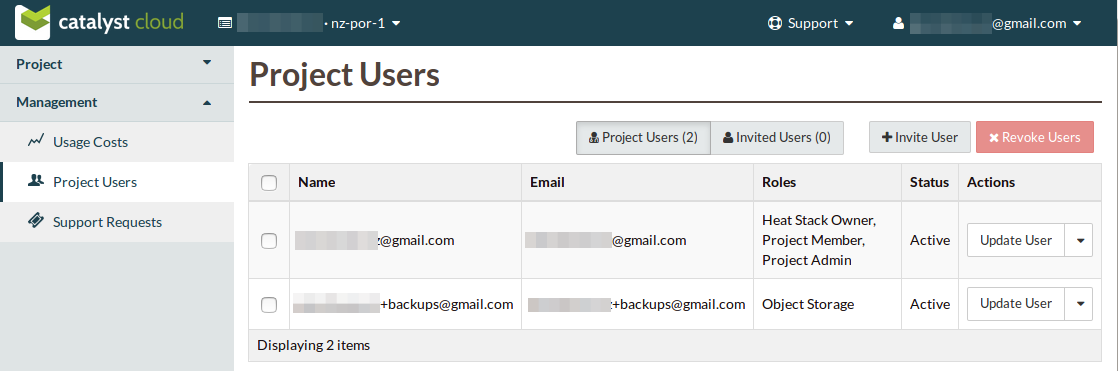
You can then download a copy of the backup user’s OpenStack RC file: see
Source an openstack RC file, which will provide the credential information for the
following section.